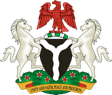
Coat of arms
The National Coat of Arms marks a website as official, so it appears the same way on every federal site. Use the approved artwork, pick the version for the background, and never alter it.
Updated
Versions
Six approved versions in one component. Insert Coat of arms from the library and pick the version in the Version property. Full colour is the default.
-
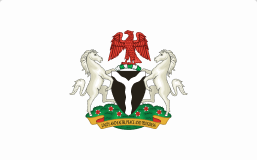
Full colour
On: White or very light backgrounds
The default everywhere. The only version allowed in the masthead.
-
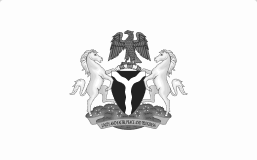
Greyscale
On: White or light grey backgrounds
Greyscale print, such as newspapers.
-
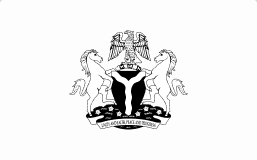
Mono black
On: White or light backgrounds
One-colour print, stamps, engraving and embossing.
-
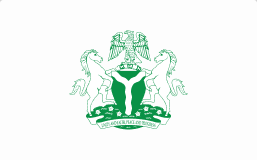
Mono green
On: White or light backgrounds
One-colour print with green ink only.
-
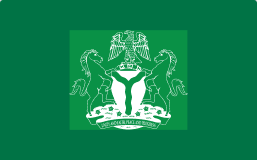
Reversed on green
On: Brand green
Report covers, banners and slides. Never the masthead.
-
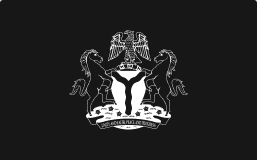
Reversed on dark
On: Black or very dark backgrounds
Dark footers, video end cards and dark slides.
Work in progress
The three Outline versions are still being refined. They show in red with a “Work in progress” badge. Don’t use them in anything that will ship.
| Version | Use instead |
|---|---|
| Outline black | Mono black, until it’s approved. |
| Outline green | Mono green, until it’s approved. |
| Outline reversed on green | Reversed on green, until it’s approved. |
Choosing a version
Match the version to what sits behind it. If nothing reads clearly, put Full colour on a white panel.
| Background | Use | Avoid |
|---|---|---|
| White or light neutral | Full colour | Reversed versions |
| Brand green | Reversed on green | Full colour: the green parts disappear |
| Black or very dark | Reversed on dark | Full colour and Mono black |
| Photos, patterns or gradients | Full colour on a white panel, with clear space inside the panel | Any version placed straight on the image |
| One-colour print | Mono black, or Mono green with green ink | Greyscale and Full colour |
Clear space and minimum size
Give the arms room, and never use them so small that the detail blurs. Values marked proposed are waiting for sign-off.
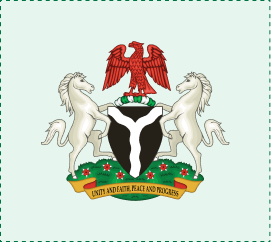
Clear space (proposed)
Keep X clear on every side, where X is a quarter of the arms’ height. No text, edges or other logos go inside it.
At 160px tall, X is 40px. At 56px (the desktop masthead), X is 14px.
| Where | Minimum height (proposed) | Note |
|---|---|---|
| Screens | 32px | The smallest the full arms may appear anywhere on a site. |
| Masthead | 40px mobile, 56px desktop | Follows the masthead work. |
| 15mm | Letterheads, forms and certificates. | |
| Favicons and app icons | Don’t use the full arms | At 16–32px the arms can’t be read. A simplified mark needs approval first. |
Placement
Where the arms appear, and how.
| Where | Version | Position and size |
|---|---|---|
| Masthead | Full colour, always | Top left, before the organisation name, vertically centred with it. |
| Footer | Full colour on light, Reversed on dark on dark | Beside the ownership line, smaller than in the masthead. |
| Documents and letterheads | Full colour, or Mono black for one-colour print | Top centre, at least 15mm tall. |
| Social profile images | Full colour on white | Centred, with the clear space inside the circular crop. |
| Partner logo rows | Full colour | First in the row, never smaller than the partner logos. |
Don’t
The arms are protected by the Flags and Coat of Arms Act. These rules come before any design decision.
- Don’t alter it
- Never recolour, stretch, crop, rotate, outline or redraw the arms. Resize from a corner with the aspect ratio locked.
- Don’t add effects
- No shadows, glows, gradients or transparency.
- Don’t animate it
- Not as a loading spinner or in motion. Use the spinner icon for loading.
- Don’t place it on images
- Put it on a solid background, or Full colour on a white panel.
- Don’t use unofficial artwork
- Only the artwork in the NDS library. No downloads from the internet.
Accessibility
How the arms are announced and shown so everyone can recognise an official site.
- Alt text is “Coat of arms of Nigeria”. When the arms and the organisation name share one home link, the arms get empty alt text (alt="") so the name isn’t read twice.
- The arms stand out from their background by at least 3:1 (WCAG 1.4.11). Choose the version by background.
- The masthead stays light in dark mode, so Full colour always shows. Elsewhere, use Reversed on dark on dark surfaces.
- Height is set and width follows, so the arms never stretch when text is zoomed.
- The arms are never the only sign a site is official; the banner text says so too.
Using the arms
One source of artwork for Figma, code and WordPress.
- In Figma
- Insert Coat of arms from the NDS library and pick the Version. Resize from a corner. Don’t detach.
- In code
- Use nds-coat-of-arms as inline SVG. Use PNG only where SVG isn’t supported, such as email. Set the height, not the width.
- In WordPress
- The theme adds the arms to the masthead and footer. Don’t upload your own copy.
- Questions
- Ask the NDS team before using the arms anywhere new, such as merchandise or signage.
References
- Federal Republic of Nigeria Federal Republic of Nigeria
- WCAG 2.2: Non-text content, 1.1.1 w3.org
- WCAG 2.2: Non-text contrast, 1.4.11 w3.org
Feedback
Is this page useful?